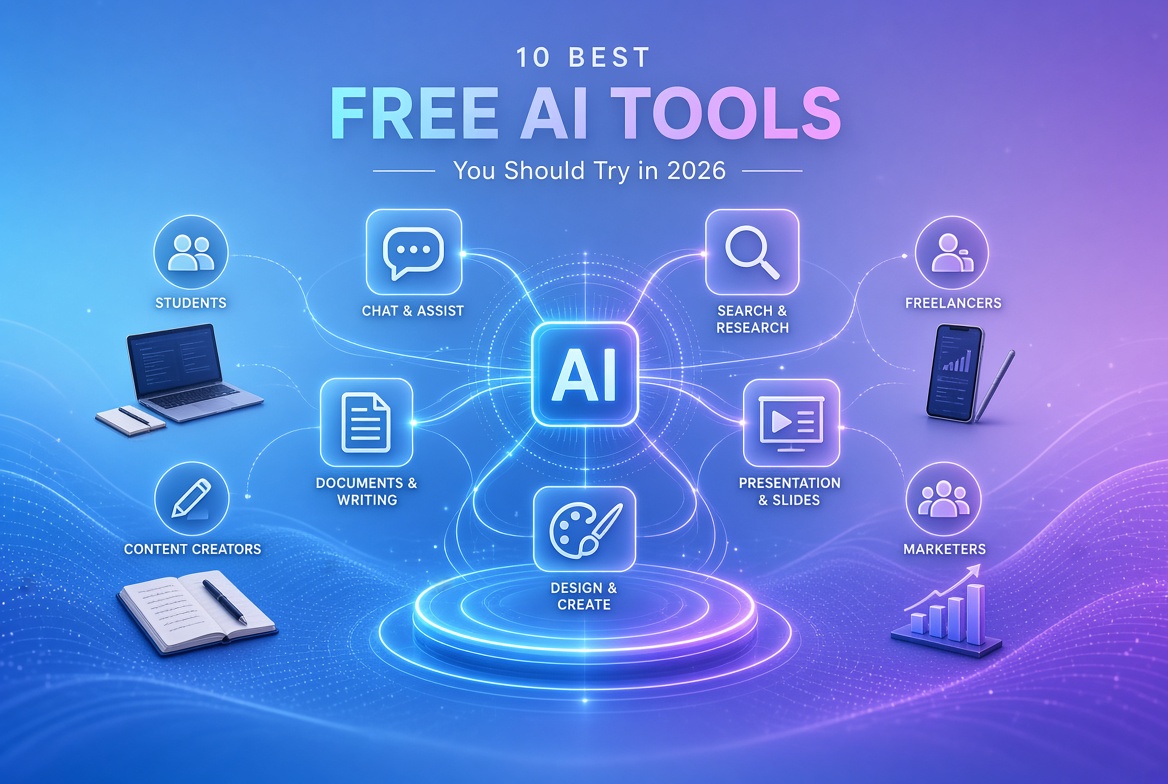
Free AI tools have become everyday helpers for students, bloggers, content creators, freelancers, digital marketers, small business owners, and regular internet users. They help you draft faster, research smarter, design quicker, write more clearly, and solve routine tasks without expensive subscriptions.
In 2026, the free tiers of major AI platforms are more capable than many paid tools from just a few years ago. You can generate ideas, summarize documents, create presentations, translate text, and improve writing quality while staying within free limits. This guide covers ten genuinely useful tools that still offer meaningful free access. Each one has been checked for current free-plan features so you know exactly what you can use without paying.
These tools save time, speed up learning, support content creation, and improve daily productivity. Use them wisely, respect the limits, and they can become reliable parts of your workflow.
Comparison Table: Best Free AI Tools in 2026
| AI Tool | Best for | Free plan | Key feature | Beginner-friendly rating |
|---|---|---|---|---|
| ChatGPT | Everyday tasks & brainstorming | Unlimited text chats (limited extras) | Conversational AI + web search | Very easy to start |
| Google Gemini | Google ecosystem users | Yes, with usage limits | Multimodal answers + Google integration | Easy and familiar |
| Claude | Long-form writing & reasoning | Yes, with usage limits | Strong writing and analysis | Easy once you try it |
| Microsoft Copilot | Windows & Microsoft users | Yes (consumer version) | Web-grounded answers + image gen | Very easy on Windows/Edge |
| Perplexity | Research with sources | Unlimited quick searches + limited Pro | Cited web answers | Extremely easy |
| Canva AI | Design & social graphics | Yes, with AI usage limits | Magic design tools | Extremely beginner-friendly |
| Grammarly | Writing improvement | Yes (core features + limited AI) | Real-time grammar & tone | Very easy |
| NotebookLM | Learning from your own documents | Yes, generous core limits | Audio Overviews from your sources | Easy after first notebook |
| DeepL | Accurate translation | Yes, character & file limits | High-quality neural translation | Very easy |
| Gamma | Fast presentations | Yes (limited AI credits) | AI-generated decks from prompts | Extremely easy |
1. ChatGPT
What it does
ChatGPT is a conversational AI that answers questions, drafts text, brainstorms ideas, analyzes files, generates images (with limits), and helps with coding or data tasks.
Best features
Unlimited text chats on the free model (GPT-5.6 Luna as of mid-2026), web search, limited file and image uploads, limited image generation, GPTs library access, and a “Think” option for harder questions.
What you can use the free version for
Drafting emails, blog outlines, study notes, social captions, simple code help, summarizing uploaded documents (within limits), and everyday research.
Who should use it
Students, bloggers, freelancers, marketers, and anyone who needs a flexible AI assistant.
Main limitations of the free plan
Limits on file uploads, image generation, deep research, memory, and advanced models. Some regions may see ads. Creating custom GPTs requires a paid plan.
Official website
chatgpt.com
Practical examples
- Students: Explain complex topics or generate quiz questions.
- Bloggers: Outline articles and rewrite drafts.
- Marketers: Brainstorm campaign ideas and ad copy variations.
- Freelancers: Draft client proposals quickly.
- Business owners: Summarize meeting notes or create simple checklists.
2. Google Gemini
What it does
Gemini is Google’s multimodal AI assistant that handles text, images, and integrates with Google services for research, writing, and productivity.
Best features
Free access with a Google account, web-connected answers, image generation (limited daily), basic Deep Research, Canvas for collaborative work, and solid integration with Gmail, Docs, and Drive.
What you can use the free version for
Quick research, writing assistance, summarizing documents, generating images for social posts, and organizing information within the Google ecosystem.
Who should use it
Students and professionals already using Google Workspace, content creators, and marketers who want free multimodal help.
Main limitations of the free plan
Standard usage limits on advanced models and features, smaller context window (around 32K tokens), limited Deep Research runs, and daily caps on image generation.
Official website
gemini.google.com
Practical examples
- Students: Turn lecture notes into study guides.
- Bloggers: Research topics with Google-backed answers.
- Marketers: Generate social image ideas.
- Freelancers: Draft reports using Drive files.
- Business owners: Summarize emails and create quick plans.
3. Claude
What it does
Claude is Anthropic’s AI focused on thoughtful writing, analysis, coding, and long-context reasoning. It excels at careful, well-structured responses.
Best features
Strong writing quality, web search, memory across conversations, Artifacts for interactive content, file creation and code execution, and solid performance on long documents (within free limits).
What you can use the free version for
Drafting and editing long-form content, analyzing documents, coding help, brainstorming, and creating structured outlines or reports.
Who should use it
Writers, students, researchers, freelancers, and anyone who values clear, thoughtful output.
Main limitations of the free plan
Usage limits that reset periodically (often every few hours), limited access to the most advanced models, and no access to some pro-only features like advanced research tools or higher project limits.
Official website
claude.ai
Practical examples
- Students: Get detailed explanations of academic papers.
- Bloggers: Refine article drafts for better flow.
- Marketers: Write persuasive long-form landing page copy.
- Freelancers: Analyze client briefs and draft responses.
- Business owners: Review contracts or create policy drafts.
4. Microsoft Copilot
What it does
Microsoft Copilot is a free consumer AI assistant available on the web, Windows, Edge, and mobile. It delivers web-grounded answers, drafts text, and generates images.
Best features
Tight integration with Windows and Edge, real-time web answers with citations, image generation, document summarization in Edge, and voice input.
What you can use the free version for
Quick research, drafting emails or posts, summarizing web pages or PDFs in Edge, generating simple images, and everyday Windows productivity tasks.
Who should use it
Windows users, Edge browser users, students, marketers, and small business owners already in the Microsoft ecosystem.
Main limitations of the free plan
No deep integration with Microsoft 365 apps (Word, Excel, Outlook) without a paid Microsoft 365 Copilot add-on. Usage is subject to standard free-tier limits.
Official website
copilot.microsoft.com
Practical examples
- Students: Summarize research pages while browsing.
- Bloggers: Draft posts and generate featured image ideas.
- Marketers: Get quick competitive insights from the web.
- Freelancers: Create project outlines.
- Business owners: Draft internal announcements.
5. Perplexity
What it does
Perplexity is an AI-powered answer engine that searches the web in real time and provides concise answers with clear source citations.
Best features
Fast cited answers, unlimited basic (quick) searches, limited daily Pro searches, file uploads (limited on free), and a clean research-focused interface.
What you can use the free version for
Fact-checking, academic or market research, finding sources for articles, comparing information, and getting up-to-date answers with links.
Who should use it
Students, researchers, bloggers, journalists, marketers, and anyone who needs trustworthy, sourced information.
Main limitations of the free plan
Only a small number of Pro searches per day, no access to advanced models or image generation, and limited file handling.
Official website
perplexity.ai
Practical examples
- Students: Research paper topics with citations.
- Bloggers: Gather sources and statistics quickly.
- Marketers: Check competitor claims or industry trends.
- Freelancers: Verify client industry facts.
- Business owners: Research market opportunities.
6. Canva AI (Magic Studio)
What it does
Canva AI brings generative design tools into the popular Canva platform for creating graphics, social posts, presentations, and simple videos.
Best features
Magic Write for text, text-to-image generation, Magic Design suggestions, templates, and easy drag-and-drop editing—all available (with limits) on the free plan.
What you can use the free version for
Creating social media graphics, simple presentations, blog headers, posters, and basic marketing visuals using limited monthly AI generations.
Who should use it
Content creators, bloggers, marketers, small business owners, students, and freelancers who need quick professional-looking designs.
Main limitations of the free plan
Limited monthly AI credits/uses (exact numbers vary by feature and can change), no premium assets, restricted advanced Magic tools (such as full background remover in some reports), and lower storage.
Official website
canva.com
Practical examples
- Students: Design presentation slides or study posters.
- Bloggers: Create featured images and Pinterest pins.
- Marketers: Produce social media carousels.
- Freelancers: Build client proposal visuals.
- Business owners: Make simple flyers and Instagram posts.
7. Grammarly
What it does
Grammarly is an AI writing assistant that checks grammar, spelling, clarity, and tone in real time across browsers, documents, and apps.
Best features
Real-time corrections, tone detection, basic clarity suggestions, and a limited number of generative AI prompts (around 100 per month on free).
What you can use the free version for
Cleaning up emails, essays, blog posts, social captions, and professional messages. Catching everyday mistakes and improving basic readability.
Who should use it
Students, bloggers, freelancers, marketers, non-native English writers, and anyone who writes regularly.
Main limitations of the free plan
No advanced full-sentence rewrites, limited AI generative prompts, no plagiarism or AI-detection tools, and fewer style/tone customization options.
Official website
grammarly.com
Practical examples
- Students: Proofread essays and assignments.
- Bloggers: Polish drafts before publishing.
- Marketers: Ensure ad copy is error-free.
- Freelancers: Improve client communications.
- Business owners: Write clearer emails and reports.
8. NotebookLM
What it does
NotebookLM is Google’s AI notebook that works only with the sources you upload. It summarizes, answers questions, and creates Audio Overviews grounded in your own documents.
Best features
Upload PDFs, Docs, websites, YouTube transcripts and more; chat with your sources; generate podcast-style Audio Overviews; create mind maps, quizzes, and reports—all available on the free tier with daily limits.
What you can use the free version for
Studying course materials, researching articles from primary sources, organizing project notes, and turning documents into easy-to-digest audio summaries.
Who should use it
Students, researchers, writers, content creators, and professionals who work with specific sets of documents.
Main limitations of the free plan
Daily caps on chats (around 50), Audio Overviews (around 3), and other generations; limit of roughly 50 sources per notebook and 100 notebooks total.
Official website
notebooklm.google.com
Practical examples
- Students: Upload textbooks and lecture notes for personalized quizzes and audio summaries.
- Bloggers: Turn research PDFs into structured outlines.
- Marketers: Analyze competitor reports or whitepapers.
- Freelancers: Organize client project documents.
- Business owners: Summarize internal reports or training materials.
9. DeepL
What it does
DeepL is a highly accurate neural machine translation tool known for natural-sounding results across many languages. It also offers writing improvement features.
Best features
Excellent translation quality, support for many language pairs, limited glossary, and document translation (with free-plan restrictions).
What you can use the free version for
Translating emails, articles, website content, study materials, and short documents within monthly character and file limits.
Who should use it
Students learning languages, bloggers reaching international audiences, freelancers working with foreign clients, marketers, and small businesses expanding globally.
Main limitations of the free plan
Monthly character limit (commonly around 50,000), restricted characters per single input, and only one file translation per month (with size limits). Data may be used to improve the service on the free tier.
Official website
deepl.com
Practical examples
- Students: Translate research papers or study notes.
- Bloggers: Localize content for other languages.
- Marketers: Adapt ad copy for different markets.
- Freelancers: Communicate with international clients.
- Business owners: Translate product descriptions or customer emails.
10. Gamma
What it does
Gamma is an AI presentation and document tool that turns a simple text prompt into polished, modern slides, web pages, or documents.
Best features
Fast AI generation of presentations from prompts or imported files, clean modern design, export to PDF/PPTX/Google Slides, and easy sharing links.
What you can use the free version for
Creating a limited number of presentations (using one-time AI credits), editing existing decks, and exporting work. Ideal for occasional use.
Who should use it
Students, marketers, freelancers, educators, and small business owners who need professional-looking decks quickly.
Main limitations of the free plan
Limited lifetime AI credits (typically a few full presentations), watermark on shared or exported work, and restrictions on advanced customization.
Official website
gamma.app
Practical examples
- Students: Generate class presentation decks from notes.
- Bloggers: Create visual summaries of articles.
- Marketers: Build pitch decks or campaign overviews.
- Freelancers: Produce client proposal presentations.
- Business owners: Make quick internal or investor updates.
How to Choose the Right Free AI Tool
Start with your main goal. Need general help and brainstorming? Begin with ChatGPT or Gemini. Focused research with sources? Choose Perplexity or NotebookLM. Writing polish? Grammarly. Design or presentations? Canva AI or Gamma. Translation? DeepL. Long-form reasoning? Claude. Windows ecosystem? Copilot.
Also consider:
- Free-plan limitations — Check daily or monthly caps so you do not hit walls mid-project.
- Privacy — Review whether your data is used for training. Prefer tools that let you opt out when handling sensitive information.
- Ease of use — Most of these tools are beginner-friendly, but some (like NotebookLM) reward a short learning curve.
- Output quality — Test a few tools on the same task; quality still varies by model and prompt.
- Integrations — Gemini works best with Google services; Copilot shines on Windows and Edge; Canva and Grammarly plug into many existing workflows.
Pick one or two primary tools that match your daily needs and keep the others as specialized helpers.
Are Free AI Tools Really Free?
Most of the tools listed here use a freemium model. Completely free tools with unlimited advanced features are rare. Instead you usually get:
- Core functionality with usage limits (messages, generations, characters, or credits).
- Access to capable but not always the absolute top models.
- Occasional watermarks or ads on free tiers.
- The option to upgrade for higher limits, better models, or extra features.
Free trials are different—they are time-limited and often require a payment method. The tools in this list offer ongoing free access without forcing a credit card for basic use. Always read the current pricing page, because limits and features can change.
Tips for Getting Better Results From AI Tools
Clear, specific prompts produce far better results than vague ones.
- State the role and goal: “Act as a marketing expert and write three LinkedIn post options for a freelance graphic designer targeting small businesses.”
- Provide context and constraints: “Write a 400-word blog introduction for beginners about free AI tools. Use a friendly tone and end with a question.”
- Ask for structure: “Give me an outline first, then expand section 2.”
- Iterate: Follow up with “Make it more concise” or “Add two practical examples for students.”
- Specify format: “Respond in bullet points” or “Create a table comparing features.”
Example prompt for students:
“Explain the main causes of the French Revolution in simple language suitable for a high-school essay. Include three key events and their significance. End with a short summary.”
Example for marketers:
“Generate five Instagram caption ideas for a sustainable clothing brand. Keep each under 150 characters, include a call-to-action, and suggest relevant hashtags.”
Good prompting turns free tools into powerful assistants.
Frequently Asked Questions
What is the best free AI tool?
There is no single best tool. ChatGPT and Gemini are excellent all-rounders. Perplexity stands out for research, Claude for careful writing, and Canva or Gamma for visuals. Choose based on your main use case.
Which AI tool is best for students?
NotebookLM for studying your own materials, Perplexity for sourced research, ChatGPT or Gemini for explanations and practice questions, and Grammarly for polishing assignments.
Which free AI tool is best for writing?
Claude and ChatGPT excel at drafting and rewriting. Grammarly is ideal for real-time editing and error correction. Many people use a combination.
Can I use AI tools for free without a credit card?
Yes. All ten tools listed allow you to sign up and use the free tier without entering payment details.
Which AI tool is best for research?
Perplexity for quick web answers with citations and NotebookLM when you want the AI grounded only in documents you provide.
Are free AI tools safe to use?
Reputable tools from major companies follow standard security practices, but free tiers may use your inputs to improve models. Avoid pasting highly sensitive personal, financial, or confidential business data. Review each tool’s privacy policy.
Can AI tools replace human writers?
No. AI is excellent for first drafts, research assistance, editing suggestions, and idea generation. Final quality, originality, strategy, voice, and judgment still require human oversight—especially for professional or high-stakes content.
Free AI tools in 2026 give almost everyone access to powerful capabilities that once cost hundreds of dollars a month. Start with the tools that match your biggest time sinks, experiment with clear prompts, stay within the free limits, and you will quickly see real gains in productivity and creativity. Explore more guides on our site for deeper tips on prompting, content workflows, and productivity systems