
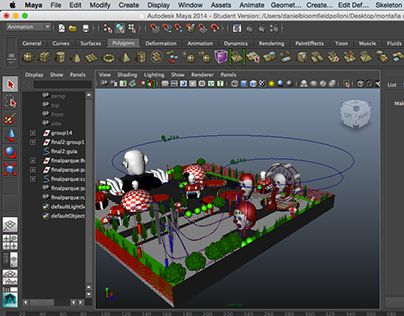
I still remember the first time I opened a proper 3D package. The viewport looked like the cockpit of a spaceship designed by committee. Hundreds of icons. Menus nested inside menus. A timeline that stretched into infinity. That overwhelming feeling never completely goes away, even after fifteen years. The difference now is I know the best software for creating 3D animation is not the one with the most buttons. It is the one that matches what you actually want to make.
Film work demands rock-solid character tools and production-proven pipelines. Game development wants real-time feedback and engine integration. Motion graphics needs fast iteration and beautiful renders out of the box. The right choice of 3D animation software depends almost entirely on those goals, your budget, and how much time you are willing to invest in the learning curve.
The Quick Verdict
If you want the short version before the deep dive:
- Best overall: Blender
- Best free 3D animation tools: Blender (still the clear winner)
- Best for high-end film and VFX: Autodesk Maya
- Best for motion graphics: Cinema 4D
- Best for complex simulations: Houdini
- Best real-time / games pipeline: Unreal Engine
Everything else is situational.
Comparison Table
| Software | Best For | Pricing | Learning Curve | OS Supported |
|---|---|---|---|---|
| Blender | Generalist, indie, beginners | Free | Medium | Windows, Mac, Linux |
| Autodesk Maya | Film, character animation, VFX | Subscription (expensive) | Steep | Windows, Mac, Linux |
| Cinema 4D | Motion graphics, design | Subscription | Gentle | Windows, Mac |
| Houdini | Procedural VFX, simulations | Free / Indie / Full | Very steep | Windows, Mac, Linux |
| ZBrush | High-detail sculpting | Perpetual / Subscription | Medium-steep | Windows, Mac |
| Unreal Engine | Real-time, games, virtual production | Free (royalty after threshold) | Medium | Windows, Mac, Linux |
| Autodesk 3ds Max | Architectural viz, hard-surface | Subscription | Medium | Windows only |
The Top Picks
Blender
Blender is the open-source 3D animation software that finally stopped being the underdog. I have used it on paid client work for years now. The geometry nodes system, the sculpting tools, Grease Pencil, and the Cycles and EEVEE render engines put it in serious contention with tools that cost thousands a year.
Key features that matter day to day: solid armature and inverse kinematics tools, decent shape keys and drivers, a capable physics system for cloth and soft bodies, and increasingly strong geometry nodes for procedural work. The rendering side has improved dramatically. Cycles handles path-traced beauty renders well, and EEVEE gives you near-real-time feedback that used to be exclusive to game engines.
Pricing is simple: free. Completely free for commercial use. That fact alone makes it the default recommendation for most people looking for free 3D animation tools or animation software for beginners.
Verdict: Best for indie filmmakers, freelancers, students, and anyone who refuses to pay subscription rent. If you can only learn one package, learn Blender.
Autodesk Maya
Maya is still the industry standard in film and high-end television for a reason. The character animation toolset is deeper than almost anything else. Rigging with Maya’s humanIK, advanced deformers, and the new animation tools feels mature. I have spent years fighting Maya’s interface and still come back to it when a production demands rock-solid character performance and a known pipeline.
Key strengths sit in the animation and VFX side. The Bifrost procedural system has improved, Arnold is an excellent renderer, and the overall ecosystem of studios and plugins is unmatched. Topology tools and modeling are competent, though many artists still prefer specialized modeling software for hard-surface work.
Pricing is the problem. Autodesk’s subscription model is expensive for individuals and small studios. It is hard to justify unless you are working in a pipeline that already requires Maya.
Verdict: Best for VFX studios and character-heavy film work. Overkill and overpriced for most beginners and freelancers.
Cinema 4D
Cinema 4D has always felt like the polite German cousin who shows up and just works. The MoGraph toolset is still the gold standard for motion graphics. Cloners, effectors, and the newer fields system make complex animated graphic work faster than almost any other 3D animation software.
Rendering with Redshift (now owned by Maxon) is fast and beautiful. The interface is cleaner than Maya and less chaotic than Blender for certain design-oriented workflows. Character animation tools exist but are not the main reason people choose it.
Pricing sits in the mid-to-high subscription range. There is a perpetual option in some regions, but most people are on the annual plan.
Verdict: Best for motion graphics artists, advertising, and design studios. If your work lives between After Effects and 3D, Cinema 4D is often the happiest path.
Houdini
Houdini is the procedural powerhouse. SideFX built a system where almost everything is a node network that can be controlled by parameters and code. Fluid simulations, destruction, crowds, and complex particle systems are where it lives.
I remember the first time I tried to render a 4K fluid simulation on my old laptop in a personal studio setup. It took three days and crashed twice. That was before I understood caching and distributed simulation. Houdini forces you to think differently, and once it clicks, other tools feel limited for certain kinds of VFX software work.
There is a free version (Houdini Apprentice) and a reasonably priced Indie license that covers most freelancers. The full commercial license is studio-priced.
Verdict: Best for VFX artists who need complex simulations and procedural pipelines. Not the place to start if you primarily want to animate characters.
ZBrush
ZBrush is not a full animation package, but it is the industry’s primary high-detail 3D modeling software for organic forms. Almost every modern character pipeline uses it at some point for sculpting. Dynamesh, ZRemesher, and the massive brush library make it possible to create film-quality detail that would be painful in other tools.
Animation is limited. You can pose and do basic timeline work, but most people sculpt in ZBrush and send the mesh elsewhere for rigging and animation.
Pricing has moved toward subscription models in recent years, though perpetual licenses still exist in some channels.
Verdict: Essential companion tool for character artists. Not a standalone solution for the best software for creating 3D animation if animation itself is your goal.
Unreal Engine
Unreal Engine changed the conversation around real-time 3D. What used to be a game engine is now used for virtual production, architectural visualization, and increasingly for final-pixel animation. The Sequencer tool, Control Rig, and MetaHuman system make character work more accessible than it used to be.
The big advantage is iteration speed. You see lighting and camera moves at interactive rates. That changes how you direct and animate. The downside is that traditional offline rendering quality still requires careful setup, and the learning curve for cinematic work is different from pure animation packages.
It is free until you hit certain revenue thresholds.
Verdict: Best for real-time workflows, games, and virtual production. Growing fast as a final animation tool as well.
Autodesk 3ds Max
3ds Max still owns large parts of the architectural visualization and hard-surface modeling world, especially on Windows. Modeling tools are strong, the modifier stack is powerful, and many studios have deep plugin ecosystems built around it.
Character animation and modern VFX tools lag behind Maya and Blender in my experience. The learning curve is medium, but the Windows-only limitation and Autodesk pricing make it less attractive for new users than it once was.
Verdict: Still relevant for archviz and certain hard-surface pipelines. Not my first recommendation for general 3D animation software in 2026.
How to Choose the Best Software for Creating 3D Animation
Three practical factors matter more than marketing claims.
First, your niche. If you mainly want to model hard-surface props, different tools rise to the top than if you want to animate cartoony characters or run fluid simulations. Character animation still favors Maya or Blender. Heavy VFX leans toward Houdini. Motion graphics often lands on Cinema 4D. Real-time work pushes you toward Unreal.
Second, budget. Free 3D animation tools have closed the gap dramatically. Blender removes the financial barrier entirely. Subscription costs for Maya or Cinema 4D add up quickly when you are still learning. I have watched too many beginners buy expensive software and then stall because the financial pressure made every failed experiment feel costly.
Third, hardware. GPU-heavy renderers and real-time engines punish weak cards. CPU still matters for simulation and some older renderers. Check the system requirements before you commit. A tool that runs poorly on your machine will teach you frustration faster than technique.
When people ask me about Blender vs Maya, I usually tell them the same thing: learn the principles in Blender first if money or accessibility is a constraint. The concepts transfer. The interface differences are trainable.
Common Mistakes to Avoid
Trying to learn three programs at once is the fastest way to learn none of them well. Pick one primary package and stay with it until you can finish projects.
Ignoring topology is another classic error. Beautiful sculpts that cannot be rigged or animated cleanly waste weeks. Learn the basics of edge flow early.
Buying expensive plugins and asset libraries before you understand the fundamentals is common and usually unhelpful. Master the core tools first. Most of the magic comes from knowing the software deeply, not from stacking paid add-ons.
Finally, obsessing over the “best” tool instead of finishing work. The best software for creating 3D animation is the one that ships shots. I have seen strong reels made in older versions of Blender and weak reels made in the latest Maya.
FAQ
Is Blender really as good as Maya?
For many independent and mid-level production needs, yes. For large film studios with existing Maya pipelines and deep character requirements, Maya still holds advantages. The gap has narrowed enough that the choice is often about pipeline and personal preference rather than pure capability.
What specs do I need for 3D animation?
A modern multi-core CPU, at least 32 GB of RAM (64 GB is more comfortable), and a strong GPU with plenty of VRAM. NVIDIA cards still have the best overall support across most 3D animation software and renderers. Storage speed matters more than people expect once caches and textures pile up.
How long does it take to learn 3D animation?
You can make simple animated shots within a few months of focused practice. Professional-level character animation and production-ready work usually takes years. The software is only part of the equation. Understanding weight, timing, appeal, and storytelling takes longer than learning buttons.
Should beginners start with free 3D animation tools?
Yes. Start with Blender. The money you save can go toward better hardware or simply more time to practice without subscription pressure.
The landscape keeps shifting. New tools appear, existing ones improve, and real-time pipelines keep eating into traditional offline work. What has not changed is the core advice: match the tool to the work, respect the learning curve, and finish things. The best software for creating 3D animation is the one that helps you put finished shots on screen instead of sitting in the viewport rearranging icons.