I still remember staring at a blank content calendar and wondering what the hell people actually search for. That frustration is common. You know you need topics that get traffic, but guessing is expensive and slow. Learning how to use Ubersuggest for keyword research fixed that problem for me and for dozens of clients who couldn’t justify $100-a-month tools.
You do not need Ahrefs or Semrush to find solid topics. Ubersuggest (the Neil Patel tool) is cheap, simple, and good enough for most beginners and small sites. This Ubersuggest tutorial shows you exactly how I use it every week to find low competition keywords without wasting time on vanity metrics.
The Quick Verdict
Here’s what you will walk away with:
- How to turn one seed keyword into dozens of usable ideas
- How to read Volume and SEO Difficulty without overthinking the numbers
- How to filter for realistic targets
- How to check what’s already ranking so you don’t write into a wall
Master these and you can run effective keyword research for beginners in under 30 minutes a day on the free plan.
What is Ubersuggest?
Ubersuggest is Neil Patel’s SEO platform. It gives you search volume estimates, an SEO Difficulty score, related keyword ideas, content ideas, and basic competitor data. The free plan limits you to about three searches or reports per day on the main site (the Chrome extension gives you more). That is enough if you plan your searches instead of clicking randomly. Paid plans remove the daily cap and unlock more data depth. For most people starting out, the free version plus smart habits is plenty.
Step-by-Step: How to Use Ubersuggest for Keyword Research
This is the exact process I follow. Keep it simple and you will get better results than most people who jump between ten different reports.
Step 1: Enter Your Seed Keyword
A seed keyword is the broad starting point. It is not the final target. Think of it as the topic bucket.
Examples:
- “meal prep”
- “email marketing”
- “dog training”
- “remote work tools”
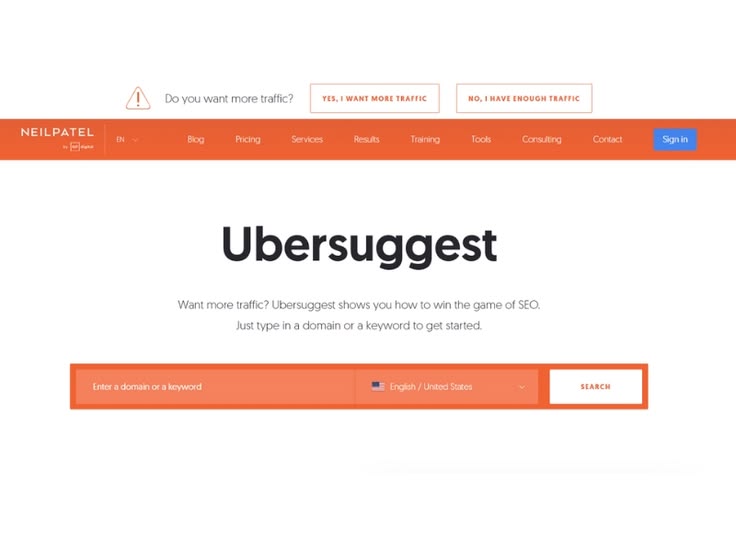
Go to the Keyword Research section, set the correct country and language (this matters a lot—volume in the US is useless if your audience is in Nigeria or the UK), and type the seed. Hit search.
I remember the first time I opened Ubersuggest, I was overwhelmed by the graphs. But once I realized I just needed to focus on two metrics, everything clicked. Start with one clean seed and ignore the rest of the dashboard for now.
Step 2: Navigate the Overview Dashboard
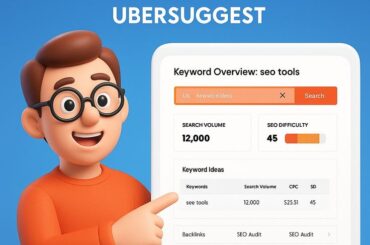
The Overview shows the core numbers for your seed:
- Search Volume: Estimated monthly searches. Treat it as a relative guide, not an exact promise.
- SEO Difficulty (SD): A 0–100 score showing how hard it is to rank based mainly on the authority and backlinks of current top pages. Lower is easier.
- Paid Difficulty and CPC: Useful if you ever run ads, less critical for pure organic work.
- Search Intent: Helps you see if people want information, products, or comparisons.
Do not obsess over the exact SD number. A score of 25 is not magically different from 32. Use it as a filter, not a gospel. High volume with high difficulty is usually a trap for new sites. Medium or low volume with low difficulty is often where the real wins live.
Step 3: Dig into the “Keyword Ideas” Tab
This is where most of the value sits when you learn how to use Ubersuggest for keyword research properly.
Click Keyword Ideas. You will see variations grouped in helpful ways—related terms, questions, prepositions, comparisons, and autocomplete-style suggestions. Each row shows volume and SEO Difficulty.
Scroll for phrases that match what you can actually write about. Question keywords are gold for blog posts and FAQs because they reveal exact user language. Export or copy the promising ones into a simple spreadsheet. Note the volume and SD next to each.
This tab is how you expand one seed into a content plan instead of staring at a single competitive term.
Step 4: Filter for Low-Competition Keywords
Here is where many people waste time. They chase high-volume terms and then wonder why nothing ranks.
In the Keyword Ideas list, look for keywords with:
- Decent enough volume for your niche (even 100–500 monthly can be valuable if intent is strong)
- SEO Difficulty under 40 if your site is new or low-authority
- Clear commercial or informational intent that matches your content
Ubersuggest lets you sort and scan quickly. I personally ignore anything with SD over 50 unless I already have strong topical authority. The filter is simple: volume that justifies the effort + difficulty low enough that you have a realistic shot.
This is the core of finding low competition keywords without fancy tools.
Step 5: Use the “Content Ideas” Tab
Content Ideas shows popular pages already ranking for related terms, along with estimated traffic, backlinks, and social shares.
Use this to reverse-engineer what works. Look at the top results for your target keywords. Are they list posts? How-to guides? Comparison tables? Long comprehensive articles?
If every top result has hundreds of backlinks and is from a major site, the keyword is harder than the SD score might suggest. If you see smaller sites ranking with solid but not crazy link profiles, that is a better opportunity. This tab stops you from writing into a wall of entrenched competition.
Advanced Tips for How to Use Ubersuggest for Keyword Research
Once the basic flow is comfortable, these habits multiply the results.
Install the Chrome extension.
It shows volume, SD, and other metrics right on Google search results and on competitor pages. Free accounts get around 40 extension searches per day—separate from the main tool’s three daily searches. Use it while you browse. It is one of the best free Ubersuggest SEO tips available.
Analyze competitors the smart way.
Enter a competitor’s domain in the relevant reports. Look at the keywords they rank for that have reasonable volume and lower difficulty. Steal the ideas, not the exact titles. This is faster than inventing topics from scratch.
Group keywords by search intent.
After collecting ideas, sort them into informational, commercial, transactional, and navigational. Write content that matches the intent. Ranking for the wrong intent wastes the ranking you earn.
Build topic clusters instead of isolated posts.
Take one solid medium-difficulty keyword as the pillar and surround it with low-competition related questions and long-tails. Ubersuggest makes the related terms easy to spot. This is how small sites build authority over time.
Ignore pure vanity metrics.
High volume that you will never rank for is useless. Focus on keywords you can realistically own within a few months. I have seen too many people celebrate big numbers that never turn into traffic.
These advanced moves turn the basic Ubersuggest tutorial into a repeatable system.
Common Mistakes to Avoid
- Blindly trusting the SEO Difficulty score. It is a helpful estimate based largely on backlinks and authority, not a perfect prediction. Always check the actual SERP.
- Targeting keywords that are too broad. “Marketing” is useless. “Email marketing for Shopify stores” is usable.
- Ignoring search intent. Writing a product roundup for a pure informational query (or vice versa) kills rankings.
- Burning your daily free searches on random tests. Plan three good seed keywords before you log in.
- Collecting keywords but never checking the top results. The Content Ideas tab exists for a reason.
Avoid these and your keyword research for beginners will outperform most people who have fancier tools but worse habits.
FAQ
Is Ubersuggest free?
Yes, with limits. The free plan gives a small number of daily searches (around three on the main tool) plus more via the Chrome extension. It is enough for focused work if you prepare your seeds in advance.
Does Ubersuggest have a Chrome extension?
Yes. It overlays volume, difficulty, and domain data directly on Google results and other pages. Free users get a separate daily allowance for the extension. Install it.
Is Ubersuggest good for local SEO?
It works for local keywords if you set the correct location. Volume and difficulty will reflect the local market. For pure local businesses I still cross-check with Google Keyword Planner and actual local search results.
How accurate is the SEO Difficulty score?
It is useful as a relative guide but not gospel. It leans heavily on the authority of current ranking pages. Always open the top results yourself and judge the real competition.
Final Thoughts
Learning how to use Ubersuggest for keyword research removes the biggest excuse beginners have: “I don’t know what to write about.” You do not need perfect data. You need a repeatable process that surfaces realistic opportunities.
Start with one seed keyword today. Run the five steps. Export ten solid ideas. Write the first one. The tool is simple on purpose. The people who get results are the ones who use it consistently instead of searching for the next shiny platform.
Treat Ubersuggest as a practical daily tool, not a magic ranking machine, and it will serve you well for a long time.